How to Use LFG Burn Ego
Step-by-step instructions to set up your custom engine sound alarm
LFG Burn Ego lets you wake up to the sound of your own engine's cold start. This guide walks you through recording your engine sound, setting your alarm, customizing your ride, and using the Workshop to trim and reuse your recordings.
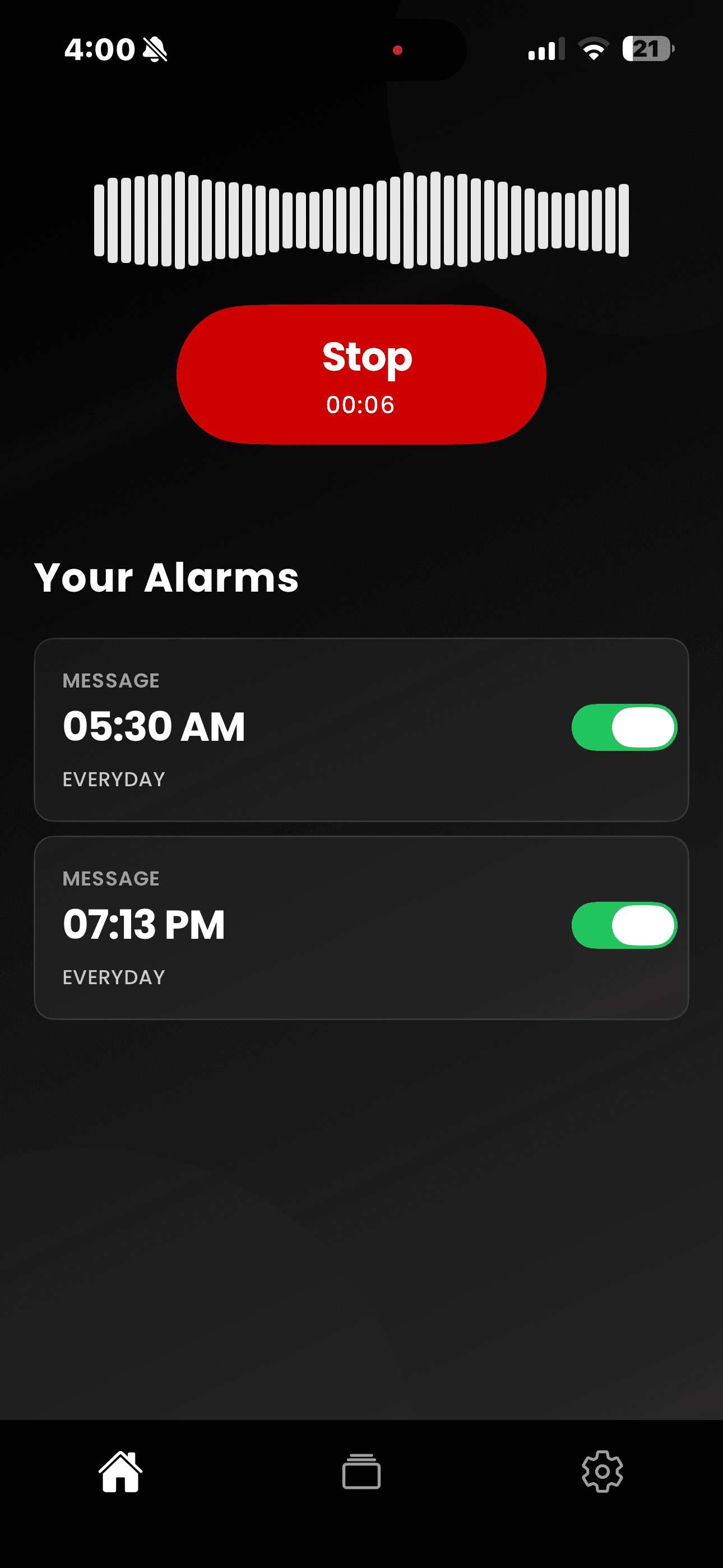
Capture the Sound
Record any engine sound directly. V8, V10, V12 — the streets are your studio. Click the record button and start capturing the sound but remember the max is 7 minutes.
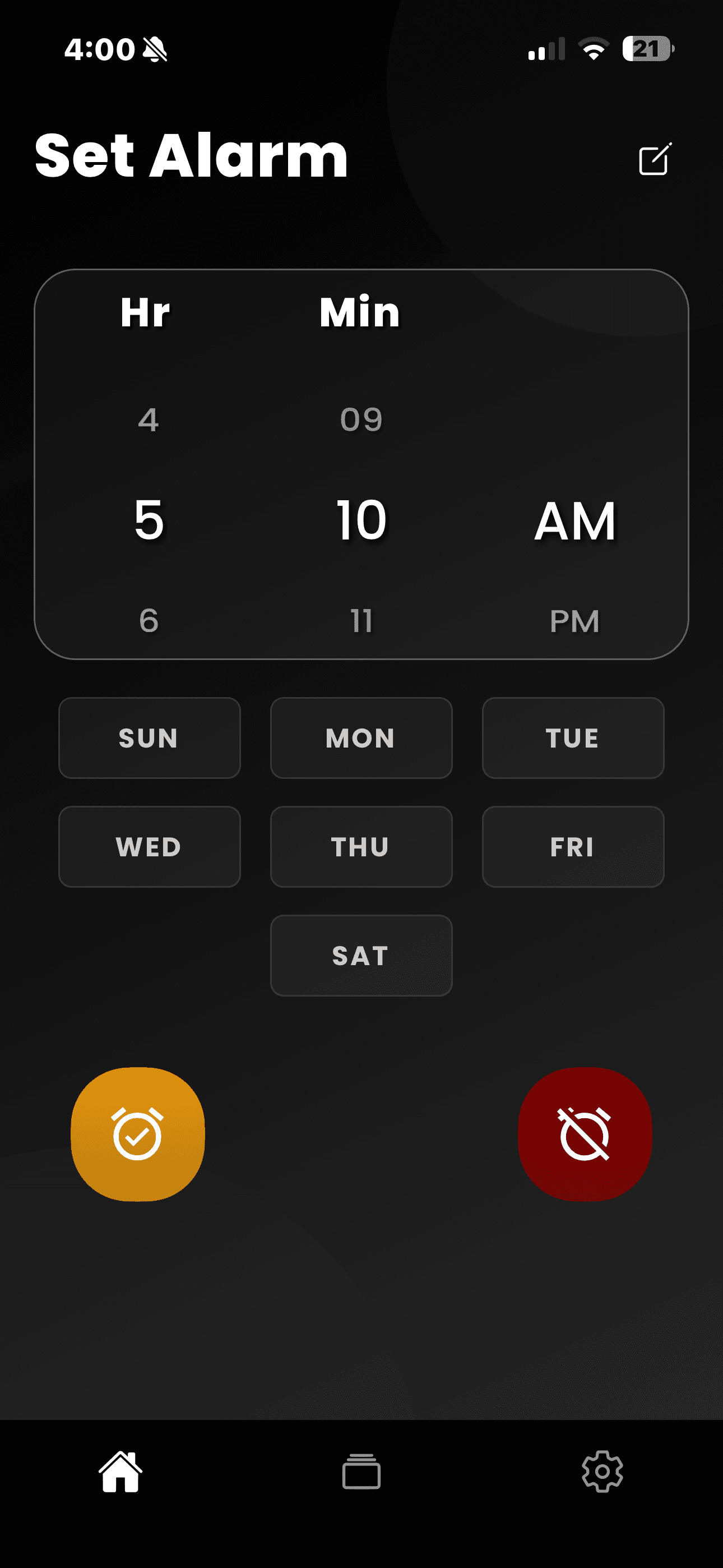
Set the Trigger
Remember once you click stop you will land in this page where you can choose the time you want the alarm to ring and choose the days when it shall ring according to your choice.
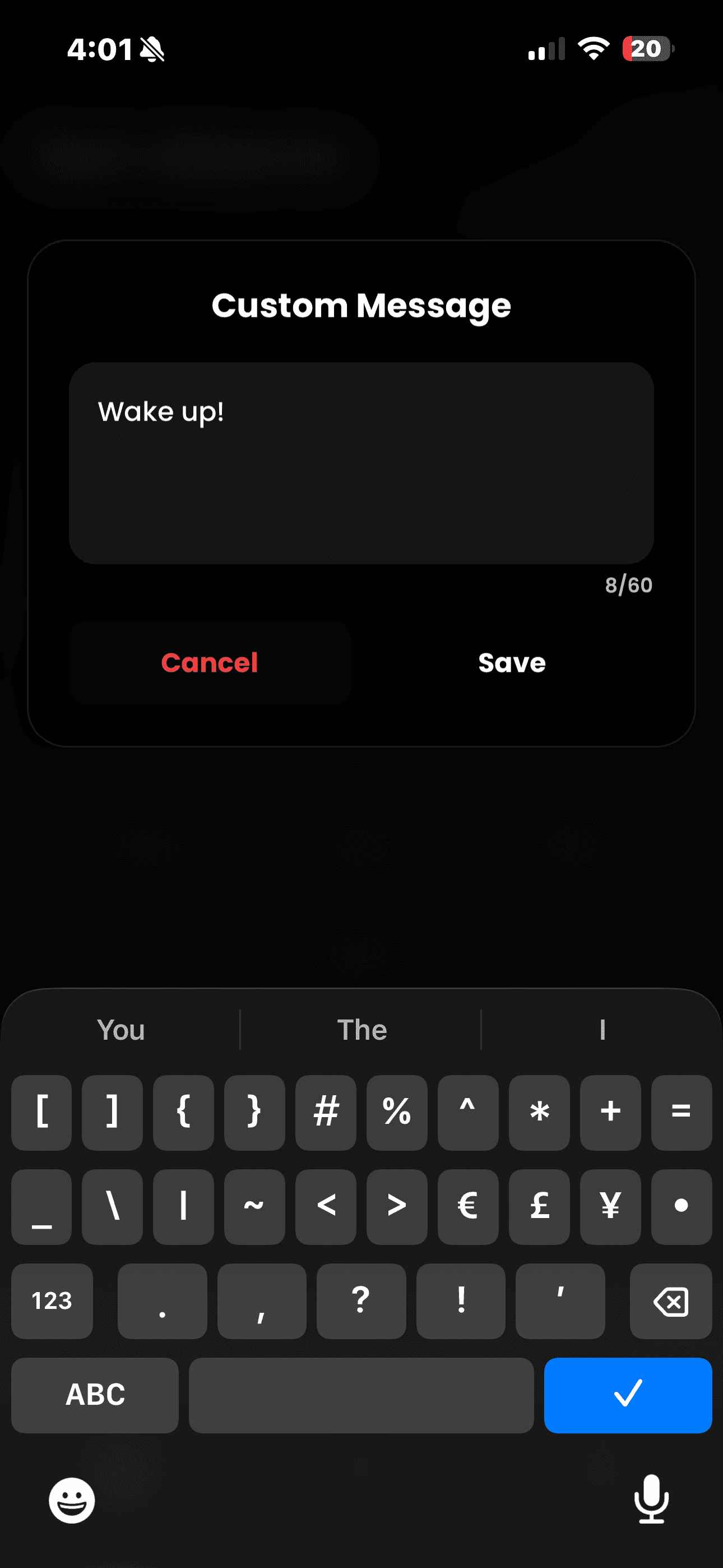
Full Throttle
Once you click the top right button, you can choose the text you want to use for different alarms. Once you are done here, it will also be seen in your alarm list.
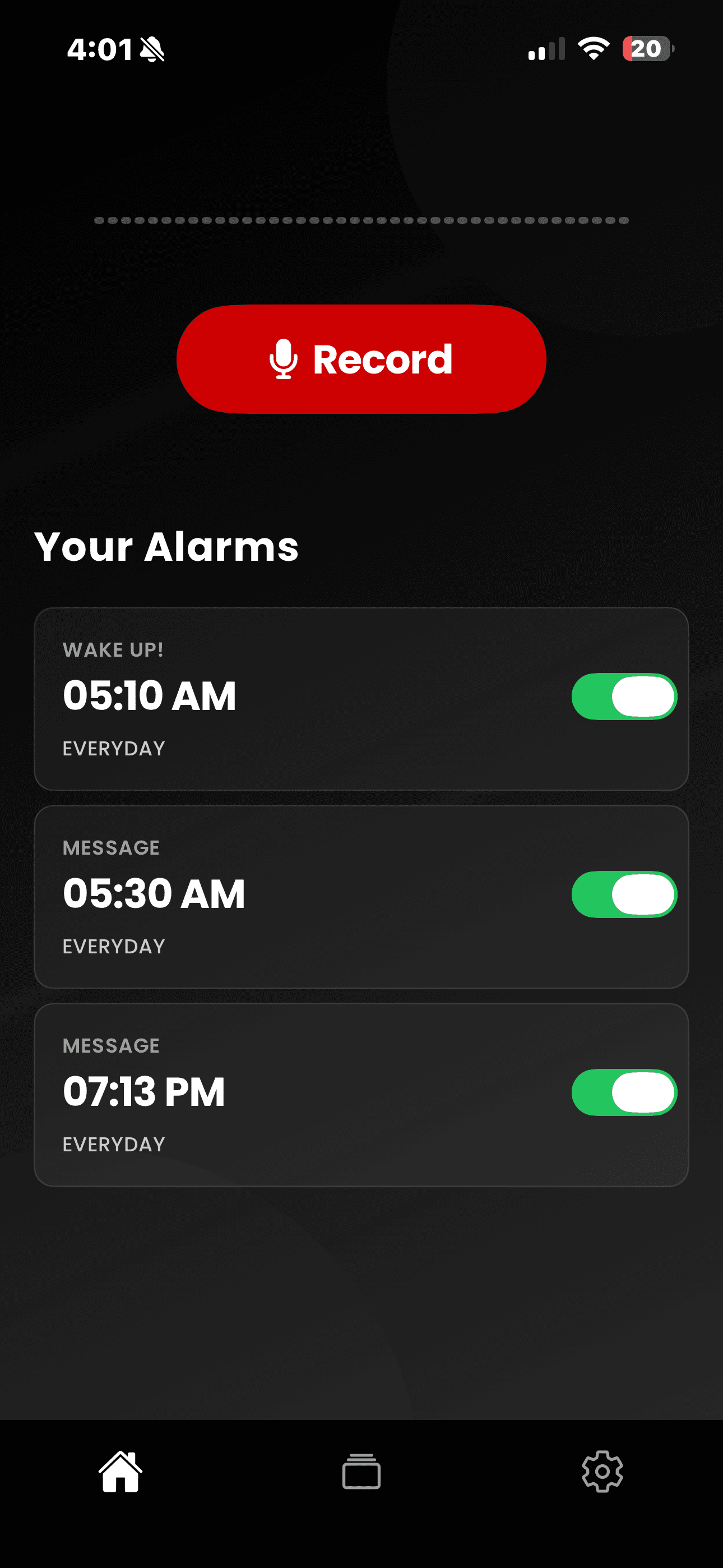
Customize Your Ride
Once that's done, you will reach the home page with the alarms you have set, the message, and days too. If you are not sure which audio you used, long press the alarm to feel that sound again.
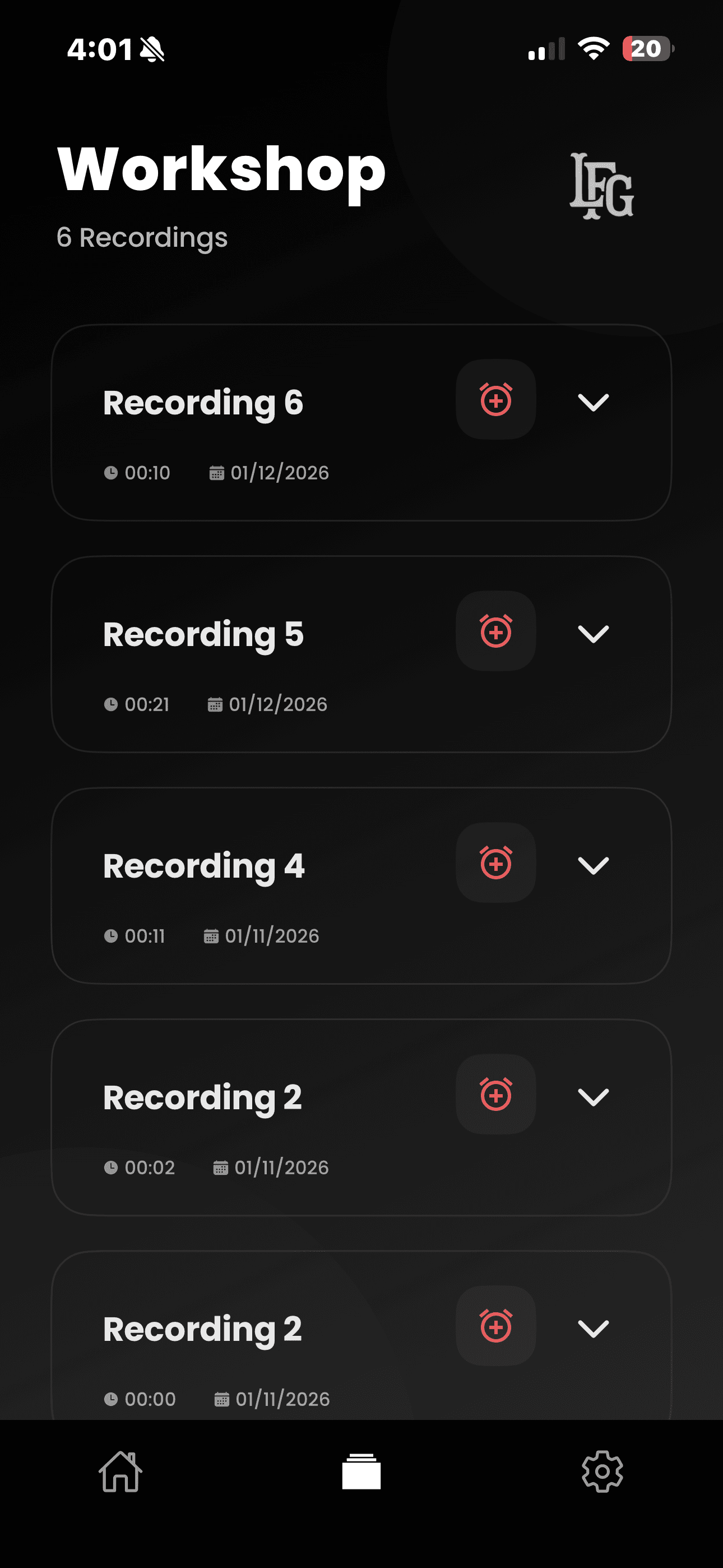
The Workshop
Want to use the same sound for different alarms? No worries. Once you reach the Workshop page, you can use the audios. Feel like there is some noise in the beginning or in the end of the audio? We let you customize that part and get only the best part.
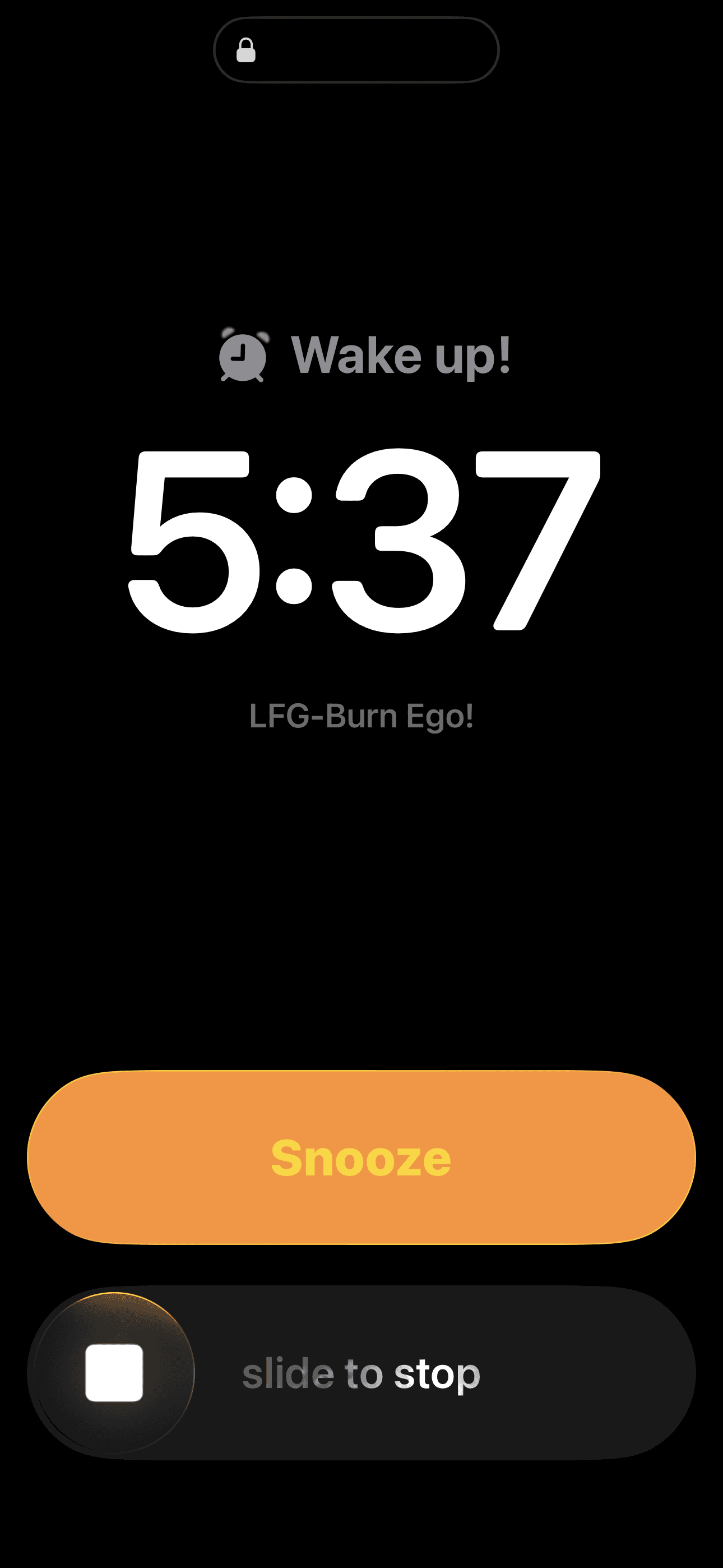
Ignition
When the time hits, feel the alarm hit. Feel the real burst of your engine. Slow waker? Press the snooze to get some time to wake up. We manage it.
Experience the Sound
LFG Burn Ego is the absolute benchmark for engine acoustics. Transform your morning ritual into a high-performance awakening.